

Can a Substack MCP Server Actually Save Creators Time? I Built One to Find Out.
This hands-on test shows how one conversational workflow combines drafting, image attachment, scheduling, and updates—so you can publish faster without losing your voice.

I have been writing notes for more than 50 years, across 20+ tools.
Paper notebooks. Early text editors. PDAs. Evernote. Scrivener. Obsidian. If you have read my note-taking history, you already know I tend to test everything and keep what works.
I can capture ideas fast. I can organize them. I can even turn them into books and publish to Amazon KDP with Scrivener.
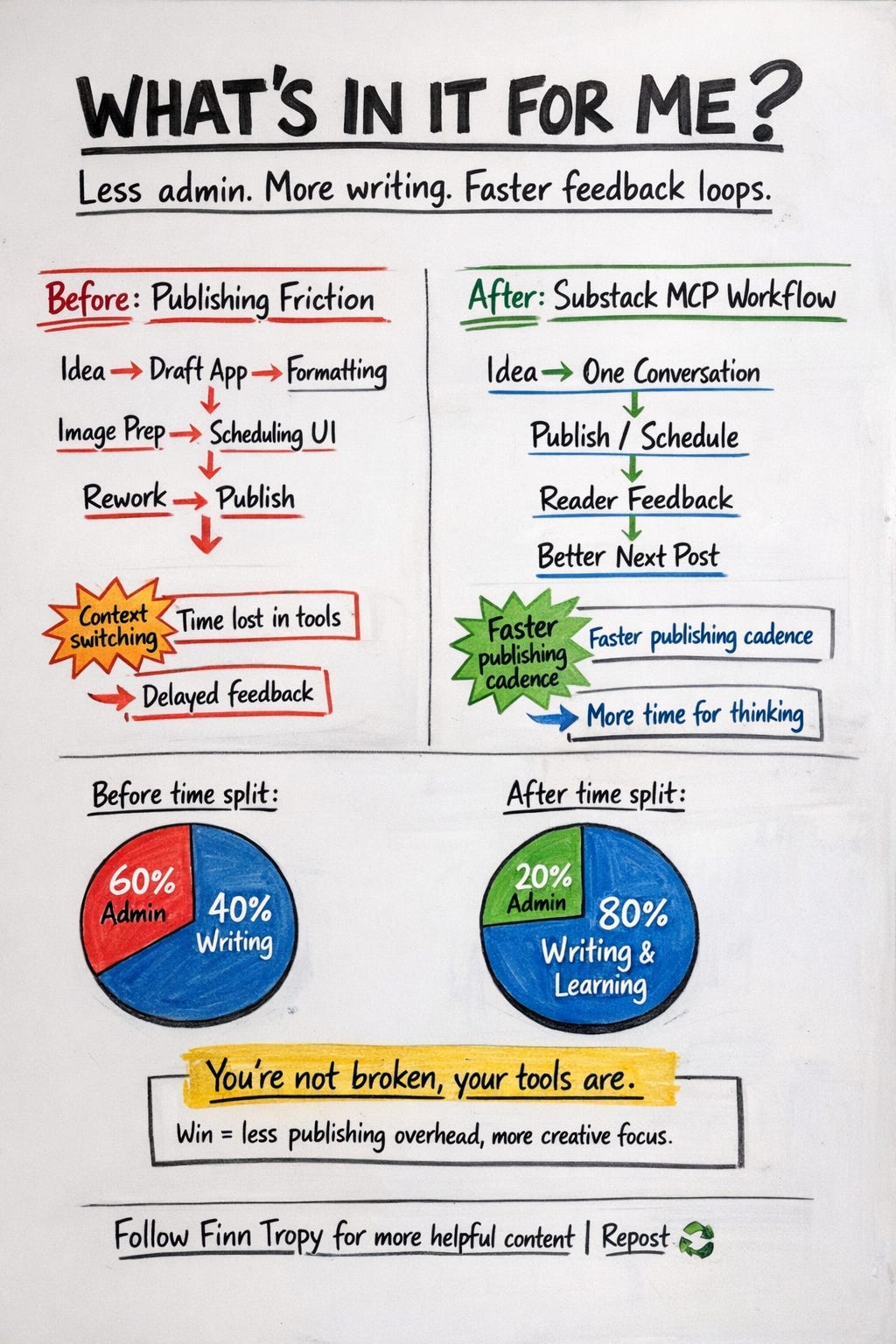
And yet, when it comes to turning a strong idea into a published Substack story, I still hit the same wall: too much time is lost to formatting, copy-paste, tool-switching, and workflow glue.
You’re not broken, your tools are.
Over the last 20 months, I have built Substack note-scheduling tools to reduce that pain. They have helped over 730 creators so far.
But even with AI giving me more feedback and data than ever, publishing still felt disconnected from my thinking process.
That is why I built this Substack MCP server: not to replace writing, but to close the gap between idea, iteration, and publishing.
What this MCP server does (in plain English)
Here is the practical version: instead of copy-pasting across five windows, I can now draft, attach an image, schedule, and update a Substack Note from a single conversation with AI.
Under the hood, MCP is just a standard that lets AI tools trigger real software actions safely.
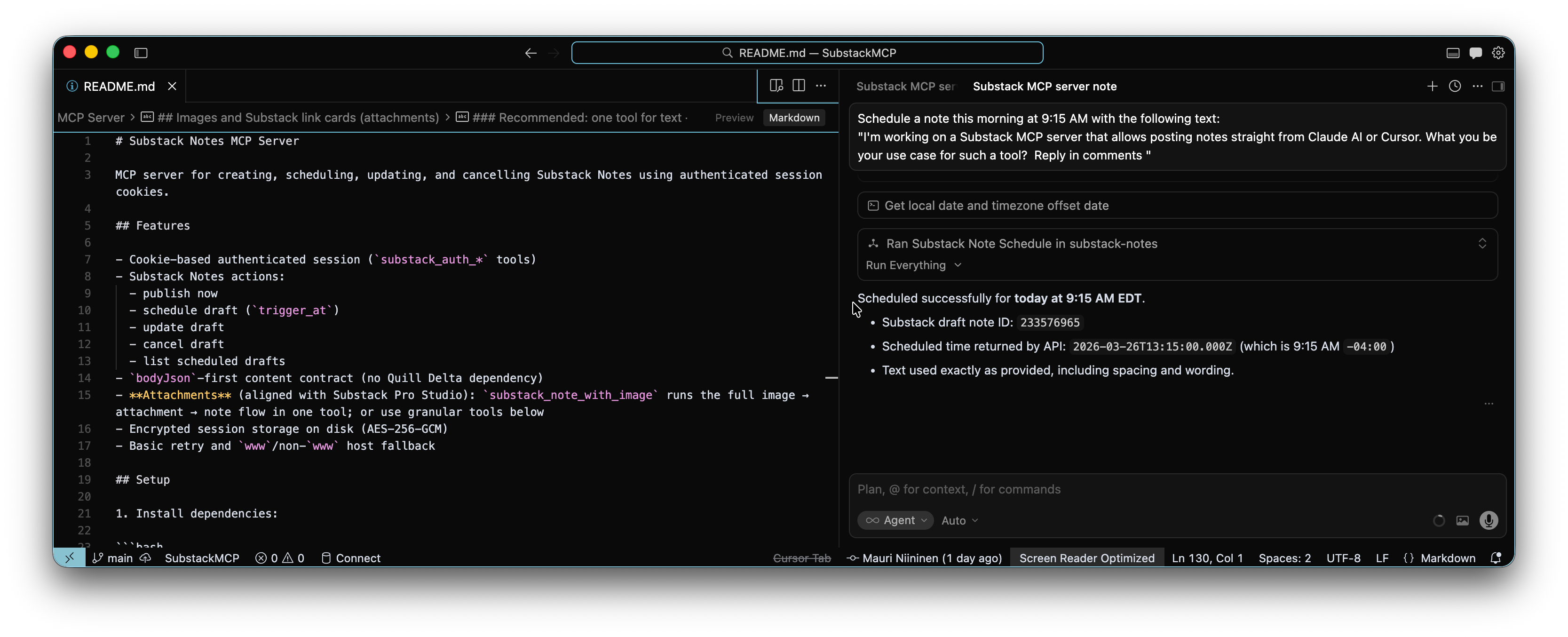
In this case, it lets AI tools like Cursor or Claude perform Substack Note operations directly: draft a note, schedule drafts, update drafts, cancel drafts, list drafts, and attach images.
It is not “AI writes your newsletter.”
It is “your publishing infrastructure works at the speed of your thinking.”
Why this matters for Substack creators
The biggest win is momentum.
When drafting and publishing occur in a single flow, you ship before the signal fades.
Consistency improves, too.
Scheduling becomes part of writing, not a separate admin task.
Operational overhead drops. Fewer repetitive clicks mean more energy for ideas.
Experimentation gets cheaper. You can test hooks, timing, and formats quickly without building a mini project for every experiment.
For many creators, conversational workflows are also more accessible than fragmented UI workflows with copy-and-paste steps in between.
Concrete use cases I see right now
Daily insight habit: draft one short note every morning, schedule it, and move on.
Launch support: post rapid updates during a product launch without breaking your flow.
Research snippets: turn highlights, screenshots, and quick observations into polished notes.
Community prompts: schedule recurring audience questions to drive comments and signal.
Repurposing pipeline: break long-form ideas into interim notes before the full piece.
Travel workflow: queue notes from anywhere and clean up details later.
What would you do if you could post and schedule Notes directly from your Claude or Cursor AI chat?
A practical workflow (showing the mechanics)
If you spend a lot of time with AI tools like Claude or Cursor, here is a concrete workflow for you to use.
Step 1: Draft the full note in Cursor or Claude (text + optional image from a local file path or weblink).
Step 2: Publish or schedule at a predictable time.
Step 3: Collect reader feedback (comments, reactions, replies, subscriptions).
Step 4: Turn that feedback into 1-2 concrete angles for the next notes.
Step 5: Repeat weekly and refine the workflow in small steps.
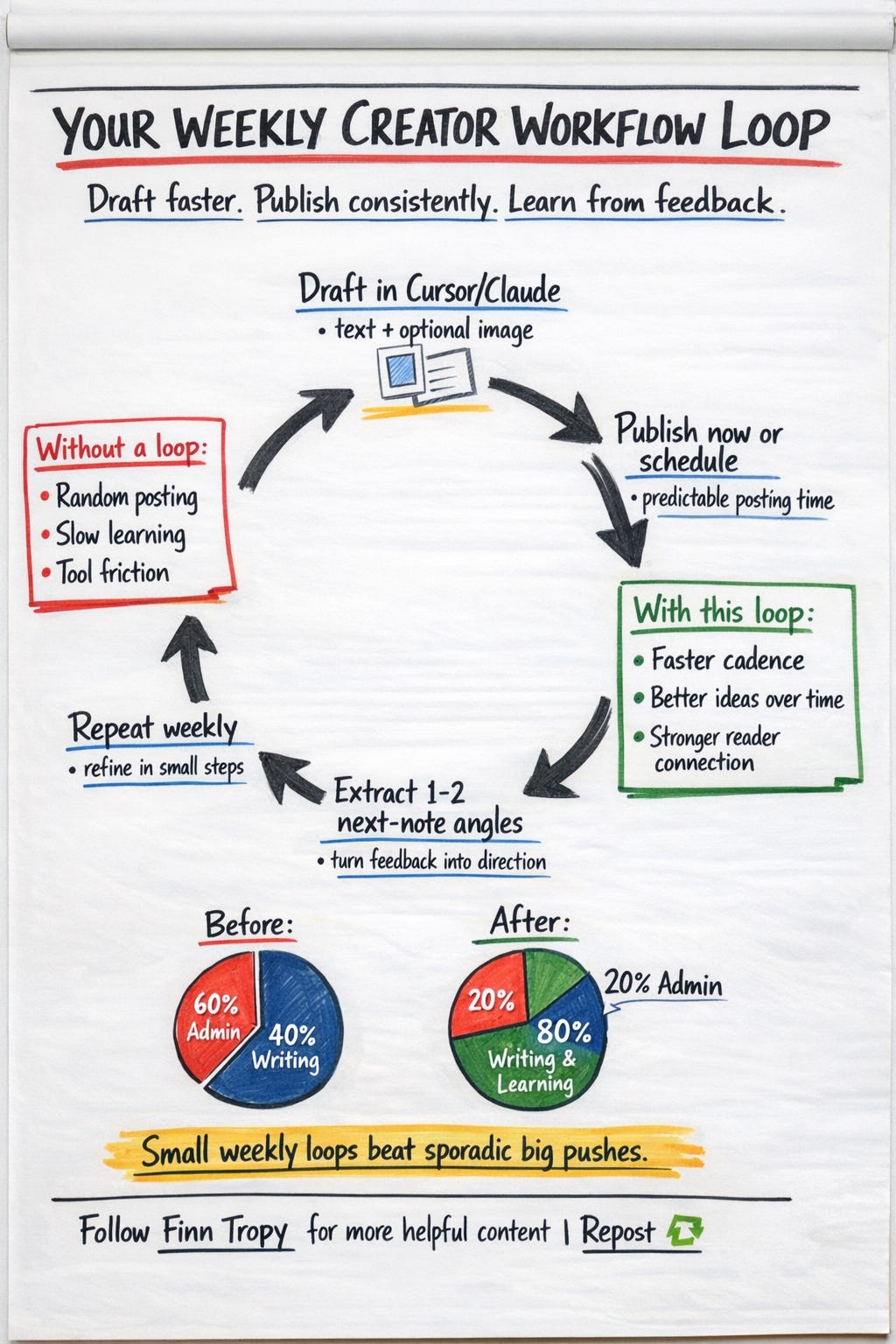
This is the boring infrastructure layer creators rarely see, and it makes a disproportionate difference.
What I learned after chatting with 550 creators
Creators do not care about clever architecture.
They care that the Notes go out correctly, on time, without drama.
The closer your workflow feels to your normal writing experience, the fewer surprises you hit.
Reliability is not a “nice to have.” If tools fail randomly, trust disappears fast.
Input quality matters too. Simple, clean inputs beat giant pasted blobs every time.
And clarity beats power.
When instructions are clear, people publish with confidence.
Risks and responsible use
Using the Substack MCP server carries risks you should be aware of.
Do not outsource your voice.
Use AI to accelerate execution, not to replace your perspective.
Verify facts, tone, and intent before you publish.
Use automation intentionally. Quality beats volume.
Practical caveat: these are undocumented APIs, and Substack platform behavior can evolve.
Read Substack's terms of service carefully before you go too far in building a fully automated content pipeline.
What opportunities does this unlock next
Once the publishing loop is reliable, new creative and business opportunities open up quickly.
Editorial planning workflows where batching is easy, not painful.
Analytics-informed AI assistants that suggest better timing or format experiments.
Cross-platform distribution pipelines that start with a single canonical idea.
Team workflows with explicit approval checkpoints before anything goes live.
Smarter transformations from research docs into publication-ready notes.
Final thought + invitation
The opportunity is not “AI writes for creators.”
The opportunity is that creators are finally getting better infrastructure.
After half a century of taking notes, this is my clearest conclusion:
Creative quality depends on both the systems around the creator and the people around them—the tools you use and the conversations you keep.
If publishing friction is stealing your best ideas, I would love your input: what part of your Substack workflow would you automate first?
If you want templates and workflow assets as I publish them, you can also check my Gumroad Store.
If this kind of creator infrastructure is useful to you, subscribe and leave a comment with details about your use case.
Related reading: My Half-Century Note-Taking Odyssey: From Paper to Pixels
— Finn
Sign me up is what I say
I just saved your post and need to dive in. This is such amazing information. 🔥
I just found you on the substack chat from Daria Cupareanu.
Thanks again!