

How To Mine Your Substack Data for 12x Revenue
Stop guessing what to write. Here is the 3-step system to find the "hidden" content your buyers actually want.


There’s a question I started asking myself every time I sat down to write: ”Is this post going to pay the bills, or is it just going to stroke my ego?”
For a long time, I relied on “vibes” to decide what to publish next. I’d look at the big Substack authors, see them writing philosophical essays about the “Creator Economy,” and think, I should do that too.
It leads to a specific kind of burnout. You pour 10 hours into a “thought piece” that flops. Grammarly says “Exceptional clarity.” Your mom says, “Beautiful.” The internet says nothing.
Meanwhile, a random note you scribbled in 5 minutes goes viral. You feel like you’re shouting into the void, guessing what your audience wants.
At some point, I realized: I could guess forever - or I could actually look at the damn data.
I built a system to mine a “Hidden Layer” of data that exists in every Substack publication but is invisible in the default dashboard.
I’m talking about the individual user journeys - who clicked, who bought, and exactly what they read right before they pulled out their credit card.
Today, I’m going to show you how I use StackContacts and the Cursor AI app to mine this gold, and how you can use it to engineer winning posts before lunch.
The “Aha” Moment: Why “Vibes” Cost Me Money
Most of us look at aggregate charts. “Views are up!” or “Open rate is down.” But averages lie. Averages tell you what happened, but they never tell you why.
I used to think my “Opinion” pieces were my strongest content. They got comments. People said, “Great insight!” I felt smart.
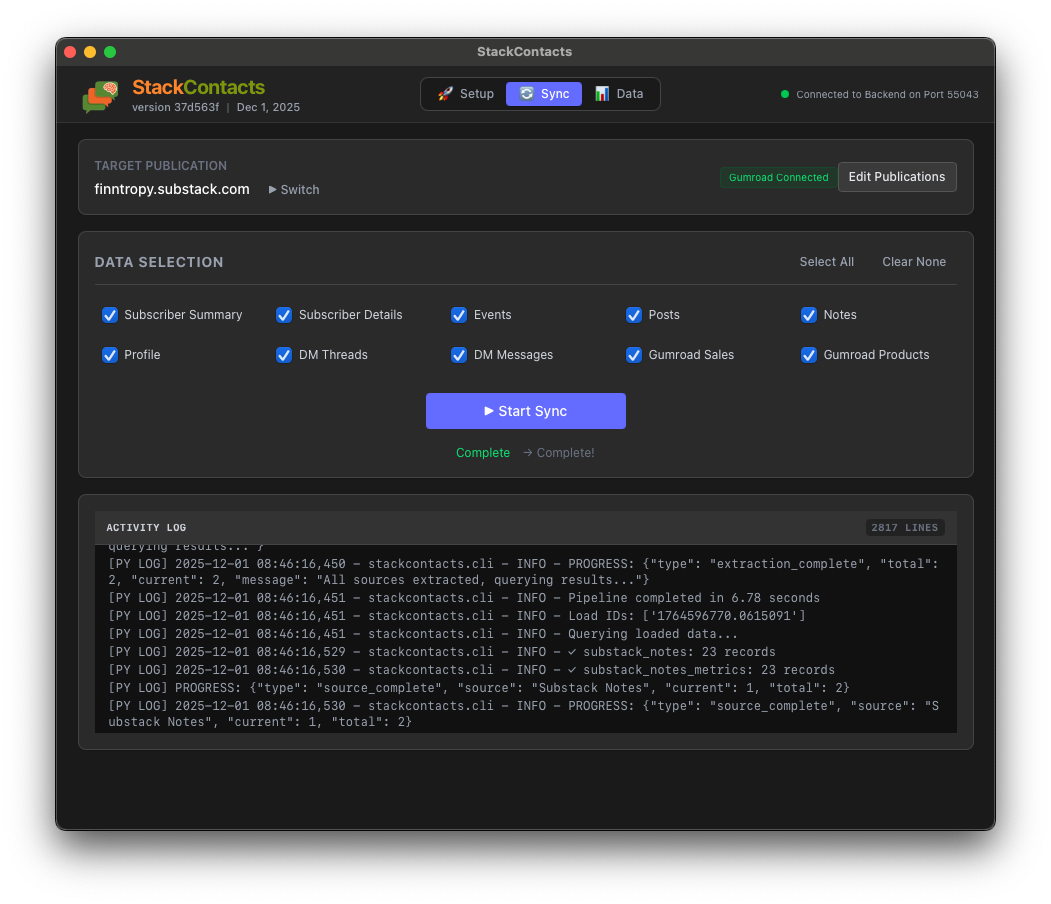
But then I queried my local StackContacts database to see what posts actually drove Gumroad sales.
The result was a slap in the face.
Case Study: The “Vibes” Post vs. The “Data” Post
Note: The numbers below use “Attributed Sales” logic - meaning the user read the post within 7 days before buying, even if they didn’t click the buy link in that exact post.
The “Vibes” Approach
I wrote a post called The Creator’s Dilemma: When Success Feels Like Drowning. It was emotional, well-written, and deep. I felt like Hemingway.
Views: 60
New Subscribers: 2
Buyers Generated: 1
The “Data-Driven” Approach
My AI analysis revealed a harsh truth: nobody cares about my philosophical takes unless there’s a chart attached.
My highest-value readers (the ones who buy) weren’t looking for philosophy. They were looking for ”Unfair Advantages” - advanced technical workflows they couldn’t find anywhere else.
So, I wrote Substack Pro Studio User Guide (a pure utility/how-to post).
Views: 436
New Subscribers: 18
Buyers Generated: 12
The Insight: The second post didn’t just get more views; it generated 12x the revenue influence. Turns out every time I mention “automation,” someone buys something. The data proved that my audience pays for systems, not sentiments.
The System: Mining Rich Data with StackContacts & AI
This level of insight isn’t possible with the default Substack dashboard. To get it, I use a simple 3-step system.
Step 1: The Foundation (StackContacts CRM)
First, you need to own your data.
StackContacts is a CRM system I built specifically for Substack. It doesn’t just store emails; it creates a local “Data Warehouse” (using DuckDB) on your computer.
It syncs all comments, likes, purchase history, and link clicks, giving you a complete timeline for every subscriber.
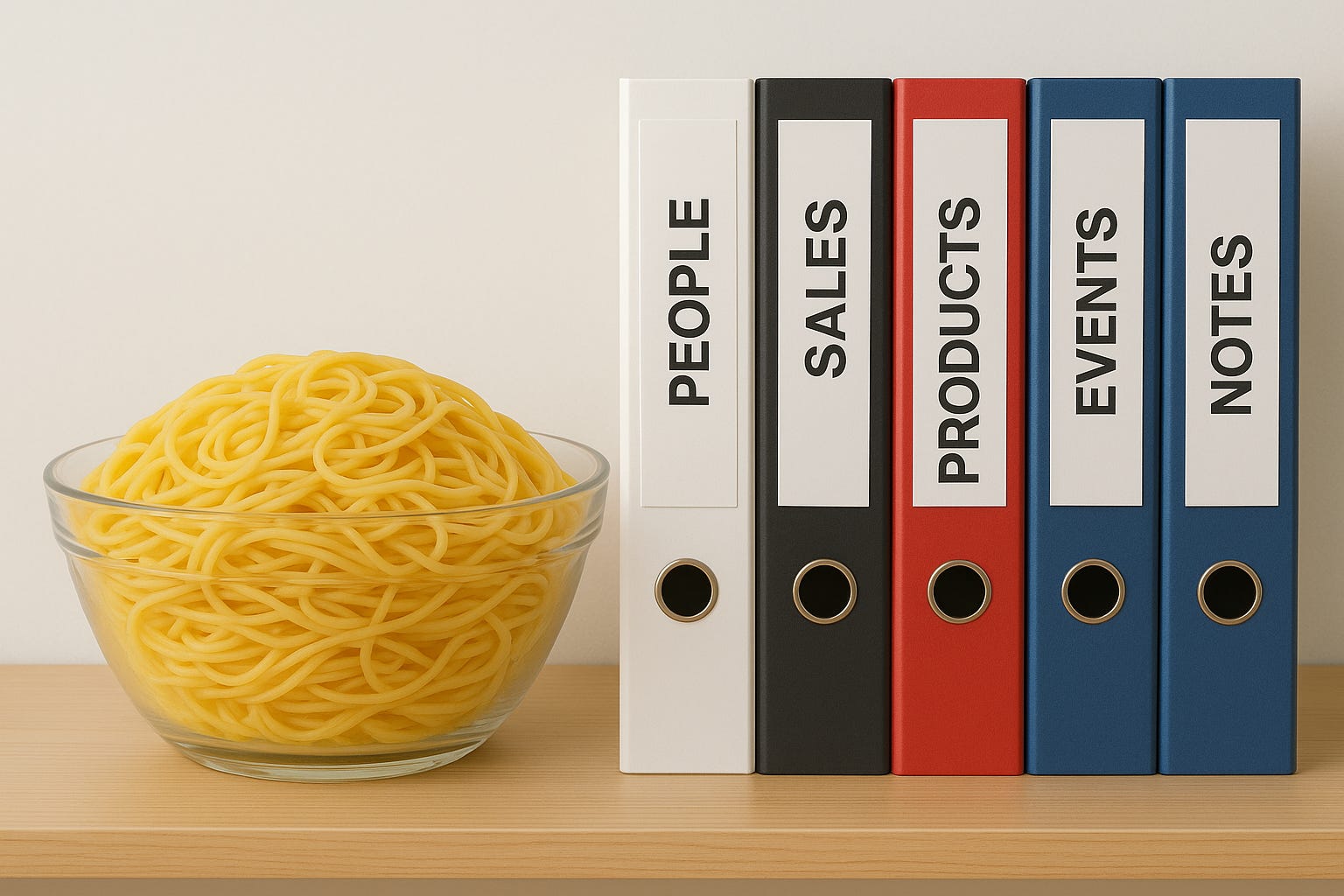
Think of all the data in your Substack - it is like a big bowl of cooked spaghetti. DM threads mixed with comments, notes, and restacks. Perhaps with some tomato sauce?
StackContacts grabs each spaghetti noodle and organizes them into well-indexed binders for easy lookup.
Want to know about
? You’ll find his details in the People binder.Who was the person buying Substack Pro Studio, after looking at my note on August 29th, 2025? Just need to cross-reference data in People, Events, Notes, Sales, and Products binders.
There is a language called SQL that makes it really easy to find these spaghetti noodles from a well-organized database.
And AI is a master at translating English requests into SQL statements.
Step 2: The “Miner” (MCP & Local AI apps)
This is where the magic happens.
I don’t write SQL queries manually. I connect my local AI app (like Claude or Cursor) to my database using the Model Context Protocol (MCP).
StackContacts runs a local MCP server giving access to my local Data Warehouse.
This allows me to talk to my data like I’m talking to a Data Scientist who doesn’t judge my bad ideas.
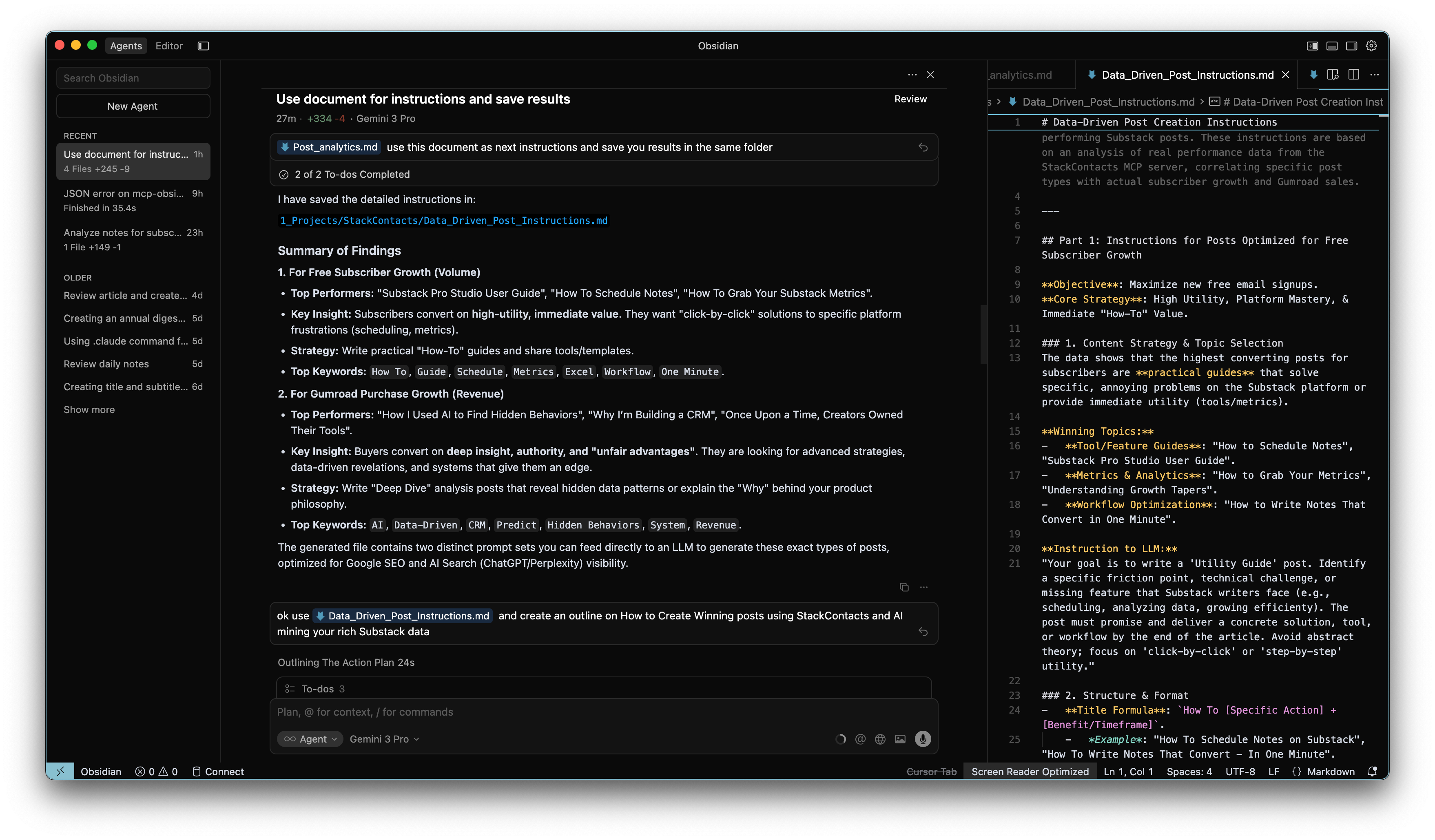
Step 3: The Query (Do This Today)
You don’t need a PhD in Data Science. You need to ask the right questions.
The Starter Query Pack
Here are 3 prompts you can run against your StackContacts data right now:
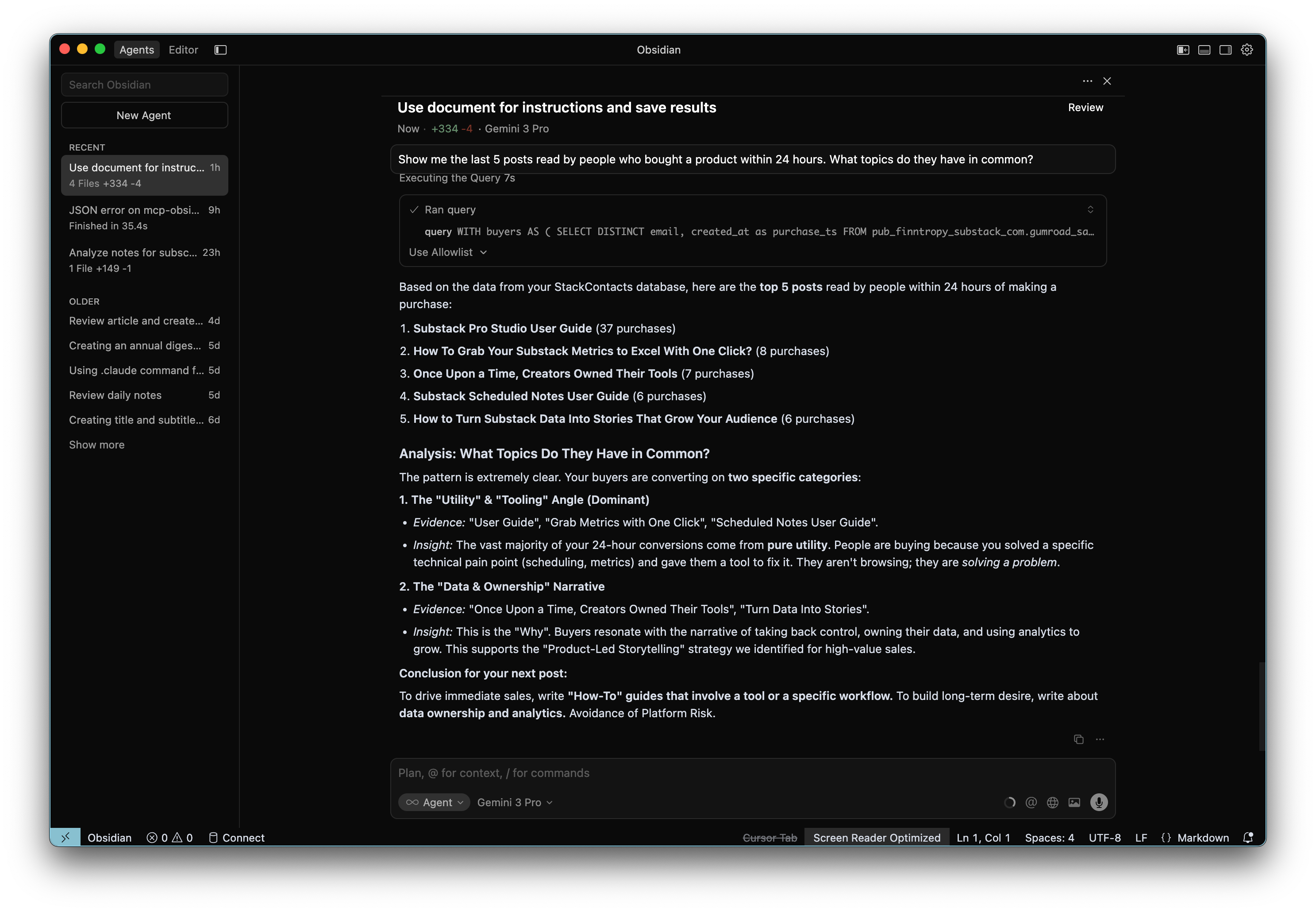
1. The “Revenue Hunter”
”Show me the last 5 posts read by people who bought a product within 24 hours. What topics do they have in common?”
2. The “Engagement Decoder”
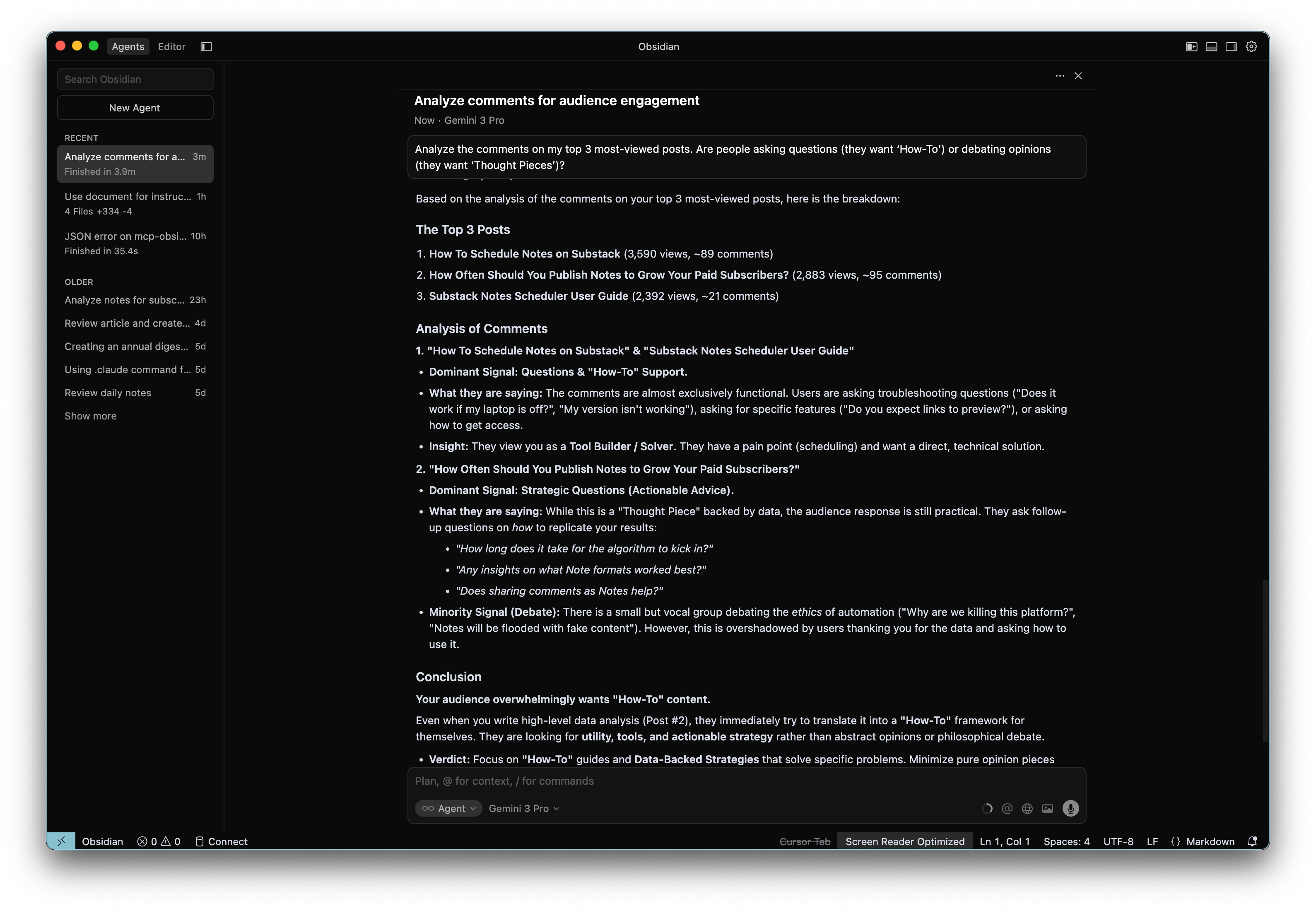
”Analyze the comments on my top 3 most-viewed posts. Are people asking questions (they want ‘How-To’) or debating opinions (they want ‘Thought Pieces’)?”
3. The “VIP Spotter”
”Find my top 10 most engaged subscribers (opens + clicks) who have NEVER bought anything. What content do they read most? These are my prime targets for a targeted discount or specific product offer.”
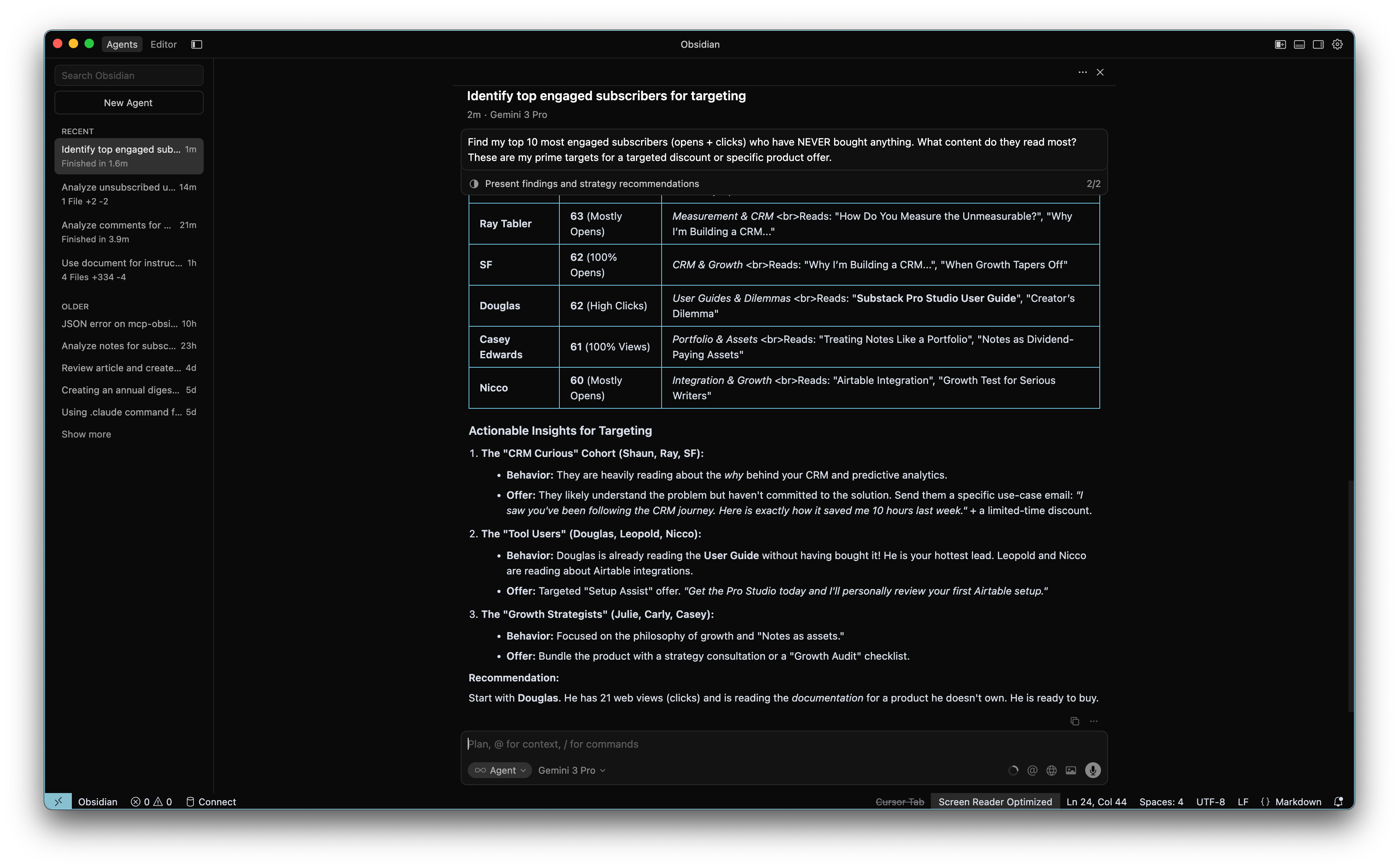
This last prompt reveals a crucial reality check: Data is messy.
The AI might struggle to match Gumroad buyers to Substack readers because people use different email addresses for different things. “Julie” might be julie@gmail.com on Substack but julie@company.com on Gumroad. Similarly, Substack usernames aren’t unique - there are four “Susans” in my list alone.
This is why you need a human in the loop.
AI is fantastic at surfacing patterns, but terrible at nuance. If I blindly automated an email blast to “Non-Buyers,” I’d likely spam some of my best customers who just used a different email address.
Take
, for example. I know him from reading his fantastic Sci-Fi stories for many months. The data flags him as a “Non-Buyer” with massive engagement. He’s a 5-star superfan.Does that mean he wants to buy my StackContacts CRM tool? Maybe. But maybe he’s just here for my articles.
The data gives you the signal, but you still have to make the call.
Stop Writing into the Void
This system changed my entire content strategy.
I no longer wake up wondering what to write. I ask the StackContacts CRM, ”What do my buyers need to know next?”
This isn’t about removing the art from writing. It’s about ensuring your art finds the people who value it enough to pay for it.
If you want to build this “Second Brain” for your newsletter and stop leaving money on the table, check out StackContacts.
It’s the only tool that gives you this level of granularity and control over your Substack data.
Want to Try StackContacts?
We are currently in Private Beta for macOS (Apple Silicon) users only.
If you want to turn your messy Substack data into revenue, subscribe to Finn’sights and send me a DM with the word “BETA”. I’ll get you set up.
Or join the conversation directly: using this link.
FAQ
Q: Can AI really analyze my Substack subscriber data?
A: Yes. By syncing your data locally with StackContacts, you can safely allow an AI to query your subscriber history, purchase behavior, and engagement metrics without sending sensitive data to the cloud.
Q: What is the best CRM for Substack creators?
A: StackContacts is the only CRM designed specifically for Substack that offers local database ownership, deep analytics, and native AI integration via MCP.
Ouch, my ADD brain didn’t get this all, but I would be happy to try the tool.
Amazing read, stay true to yourself ✨